How to use the random name picker
- Paste your class list into the box, one name per line. You can copy a column straight from a spreadsheet.
- Choose how many names to pick at once. One is perfect for asking a question; three or four works for presenters or a small team.
- Press Pick a name or Space. The names shuffle for a moment and the picker settles on its choice.
- Keep going. With “Don't repeat a name” switched on, every student gets a turn before anyone is picked twice, and the list of names already picked shows who has had their turn.
Fair for every student
Picking students at random is a simple way to keep the whole class engaged: everyone knows they could be next, and nobody is chosen more often just because they sit at the front or raise their hand first. The picker uses your browser's cryptographic random number generator, so the choice cannot be predicted or nudged, and the no-repeat option makes sure each name comes up exactly once per round. When everyone has been picked, a new round starts automatically, or you can start one yourself at any time.
The picker remembers your list and the names already picked in this browser, so you can carry on with the same class next lesson.
Making random groups
Choose whether you want a set number of groups or a set number of people per group, then press Make groups. The class is shuffled and shared out as evenly as possible, so group sizes never differ by more than one. Copy the groups with one click to paste them into a message, a document or your learning platform.
More ways to use it
- Choose the order of presentations or reading turns.
- Pick winners for a small classroom reward.
- Assign roles for group work, such as note-taker, speaker and timekeeper.
- Outside school, decide who cooks, who picks the film or who goes first in a game.
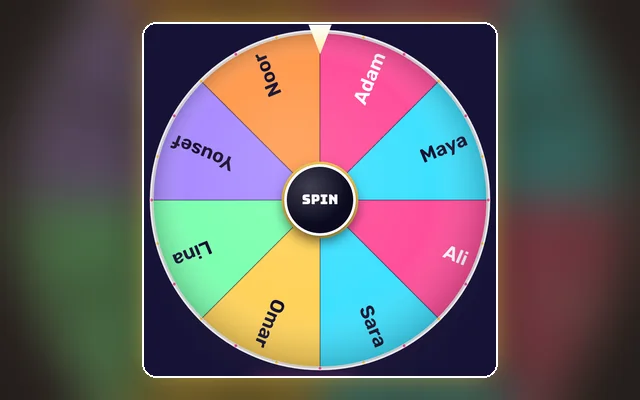
Would you rather have something more visual? The wheel of names uses the same fair randomness with a spinning wheel that looks great on a projector.
Tips for teachers
Give students a few seconds of thinking time before you pick, so everyone prepares an answer rather than only the person chosen. Use “How many” to pick a pair for a quick discussion, and make groups at the start of the lesson so the class moves straight into work. If you teach several classes, keep one list per class in a document and paste the right one in when the lesson begins.
Frequently asked questions
Does the picker ever repeat a name?
Not while “Don't repeat a name” is on: each name comes up once per round. Switch it off if you want every pick to be fully independent.
Are my students' names uploaded anywhere?
No. The list stays in your own browser and is never sent to our servers.
How many names can I add?
Up to 500, which is enough for a whole year group.
Can I pick several names at once?
Yes, up to 50 at a time. They are drawn without repeats inside the same pick.
How are the groups balanced?
The list is shuffled and then dealt out one name at a time, so no group is ever more than one person larger than another.
What if two students share the same name?
Each line counts as its own entry, so both are picked separately. Adding a surname initial makes them easier to tell apart.